Home automation can reveal far more about a household than most owners expect. A connected thermostat records when rooms are occupied, a smart plug can show when appliances run, and an app-controlled light may indicate when everyone has gone to bed. These features can lower energy use and simplify daily routines, but they also create detailed records of life at home. Understanding what devices collect, where that information goes, and how long it remains stored helps you keep useful automation without sharing more than necessary.
Some links in this post are affiliate links, which means I receive a commission if you make a purchase.
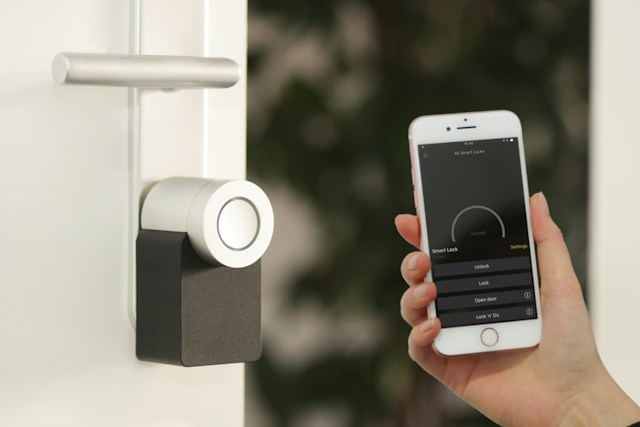
Image Credit: Unsplash
Tracking Daily Habits Through Appliances
Connected appliances learn through repeated use. A refrigerator may log door openings and temperature changes, while a washer records cycle times, settings and energy consumption. Over several weeks, those small data points can expose work schedules, meal routines and periods when a home is empty. Homeowners can also explore the privacy risks of connected smart home devices to better understand how everyday technology can reveal household routines.
Consumer Reports has examined similar connected device privacy concerns, including the amount of household information that everyday products can collect. Before connecting an appliance, check whether its basic functions still work without an online account. Use local controls when remote access adds little value and avoid entering optional details such as your birth date or precise location. If an appliance has a microphone or camera, disable it unless you regularly use that feature.
Why Telemetry Matters to Homeowners
Telemetry is the information a device sends back to its manufacturer or service provider. It may include error reports, operating temperatures, button presses, network details and usage times. Some of this data helps diagnose faults, but vague privacy policies may also allow it to support product development or personalized marketing.
Review data practices before adding any major connected system. For example, if you’re arranging pool heating and plan to pair it with app-based scheduling, ask who supplies the controller, what information its app collects and whether manual operation remains available. This separates the physical heating choice from the privacy terms of any optional smart controls.
The wider privacy costs of smart living also include account exposure and long-term data retention. A feature that saves a few minutes each week may not justify permanent cloud records of your routine.
Smart Controls for Outdoor Climate
Outdoor climate controls can manage pool temperatures, patio fans, irrigation schedules and shaded entertaining areas. Their placement outdoors doesn’t prevent them from revealing household patterns. A pool heater that starts every Friday afternoon or garden lights that switch off at midnight can create a predictable activity record.
Choose schedules that run directly on the controller when possible. Local scheduling keeps the system working during an internet outage and may reduce the data sent to outside servers. Set temperature limits so equipment doesn’t run longer than needed and create separate accounts for household members instead of sharing one password.
For vacation periods, avoid schedules that clearly advertise an empty property. A slightly varied lighting routine looks more natural, while temporary access codes let a caretaker operate selected devices without receiving control of your entire smart home account.
Essential Privacy Settings to Audit
Start your audit with the apps controlling appliances, heating, lighting and outdoor systems. Remove devices you no longer own, then delete old guest accounts and unfamiliar logins. Turn on automatic security updates where available, since unsupported software can leave an otherwise useful product exposed.
Next, check these settings:
- Disable personalized advertising and optional analytics
- Limit location access to “while using the app”
- Turn off microphone, camera and contact permissions that the service doesn’t need
- Enable two-step verification for every household administrator
- Shorten video, audio and activity-history retention periods
- Place smart devices on a separate guest or internet-of-things Wi-Fi network
Also review account activity every few months. Unexpected logins, unexplained setting changes, or new linked services deserve immediate attention. When selling or replacing a device, remove it from your account and perform a factory reset before it leaves your home.
A privacy-friendly home doesn’t require giving up automation. Keep the devices that solve a real household problem, favor controls that continue working locally, and treat every new app as another holder of personal information. The best smart-home setup is one you can still understand and control after the novelty wears off.
This is a contributed post.
More From NeededInTheHome
Product Reviews
Get Our Books
Etsy Shop
TPT Store
eBay Store
Linktree
My Faith Testimony
Subscribe so you never miss a post.
If you find my tips useful, feel free to buy me a coffee. Thank you in advance!
Want to remember this? Pin it to your favorite Pinterest Board!
Join the newsletter
Subscribe to receive our latest articles and promotional content by email from NeededInTheHome
Leave a Reply